
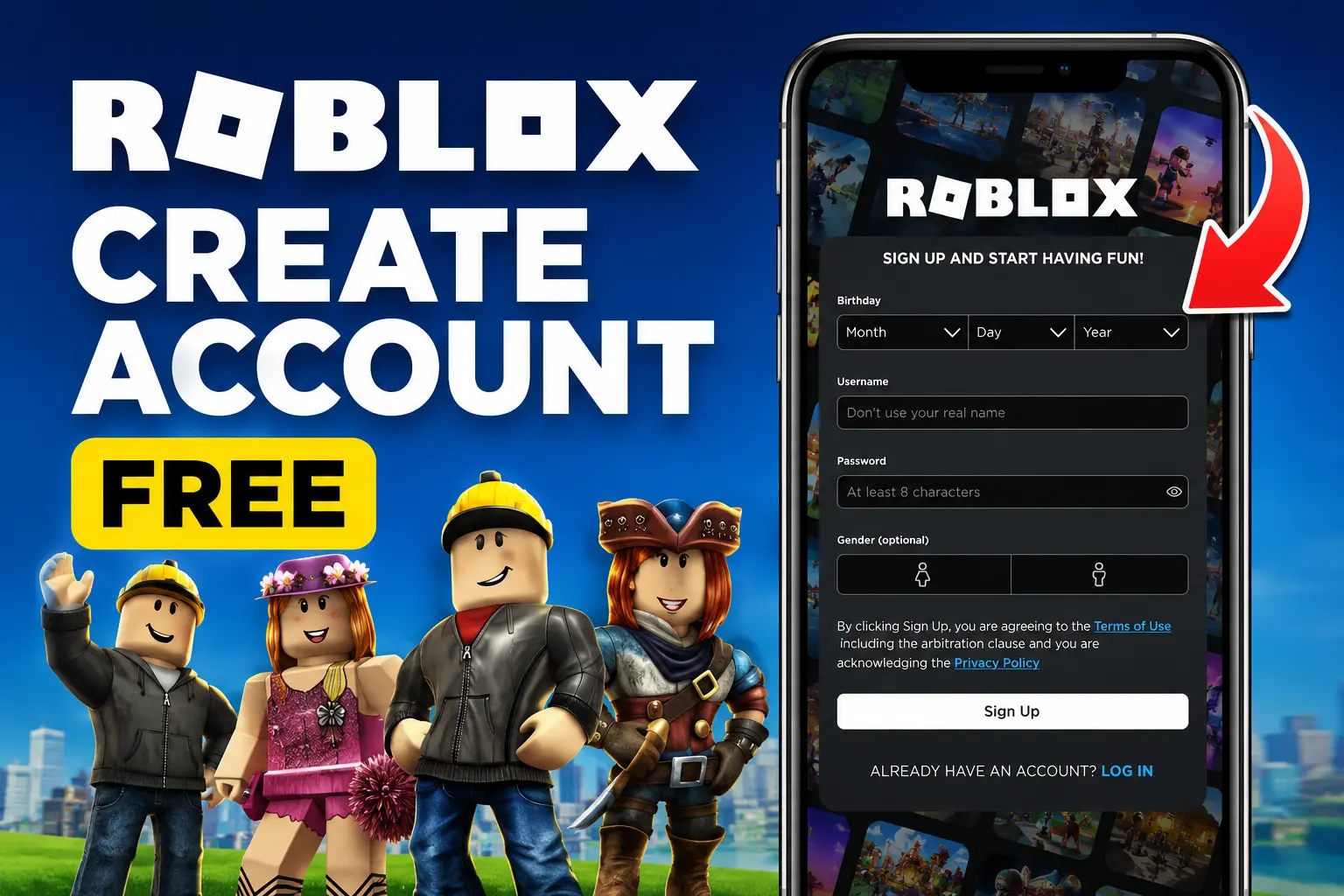
How to Create a Roblox Account? Step by Step Guide

Roblox is one of the most popular platforms where users can play games, create their own worlds, and interact with others. It also combines gaming, creativity, and social features, which makes it more fun for players of all ages. This guide explains how to create an account and what you need before signing up.
You first need to create Roblox account to start using Roblox. You can create Roblox account very quickly and easily. You can sign up on a computer, Android phone, iPhone, or tablet in just a few minutes. It also covers common issues you may face and useful safety tips.
What Is a Roblox Account?
A Roblox account is your personal account that allows you to use the Roblox platform. After creating an account, you can:
- You can play millions of games made by other users.
- You can also customize your avatar with different outfits and accessories.
- Just add new friends and chat with them.
- Earn badges and achievements while playing.
- You can buy or earn Robux, Roblox’s virtual currency.
- Also, create your own games using Roblox Studio.
- Join more groups and communities.
A Roblox account is completely free to create for every user.
Requirements to Create Roblox Account
You just make sure you have before signing up:
- Require a stable internet connection
- A web browser or the Roblox mobile app
- Should be a unique username
- A strong password
- Your date of birth
- Your gender (optional)
- Current email address (recommended for account recovery)
- A phone number (optional but helpful for better security)

How to Create a Roblox Account on a Computer?
You can follow these easy and simple steps to create Roblox account:
Step 1: Go to the Roblox Website
First of all, you can open any web browser and visit the official Roblox website.
Step 2: Enter Your Birthday
Then choose your real information to proceed with the steps:
- Month
- Day
- Year
Note: You should use your real birth date because Roblox uses it for age-based features and account settings. Under-18 accounts are not supposed to use premium features.
Step 3: Choose a Username
You have the flexibility to select a unique username that:
- Is very easy to remember
- Does not include your personal information
- Must follow all of Roblox’s rules
If your selected username is already taken, then Roblox will suggest other options. You can choose whatever suits on your personality.
Step 4: Create a Password
You should choose a strong password by using:
- Uppercase and lowercase alphabetic letters
- Numbers
- Pick special characters
Note: Do not use a simple password like your name or birth year, it can be hacked easily.
Step 5: Choose Your Gender (Optional)
- You can choose your gender if you want, as this step is optional and does not affect your account.
Step 6: Click “Sign Up”
- After filling in all the details, click on the Sign Up button.
- Now, your Roblox account will be created, and you can start using Roblox right away.
Note: Do these step by step, as missing any of these steps can lead to errors.
How to Create Roblox Account on Android or iPhone?
You can also create Roblox account free by using the Roblox mobile app.
Steps
- First of all, download the Roblox app from your device’s app store.
- Now, open the app and click on the “Sign Up”.
- Enter your original birthday.
- Put a unique username.
- Then, set a safe and secure password.
- Select your gender (optional), and enter
- Complete any security verification if prompted.
- You can now log in and start playing.
Verify Your Email Address
Although email verification is optional, it is highly recommended. You should verify your email address so you can easily use and recover the account. To verify your email:
- Open Settings.
- Go to Account Info.
- Add your email address.
- Click Verify Email.
- Open the verification email and follow the instructions.
It has some benefits like:
- Easier password recovery
- Better account security
- Identity verification
- Protection against unauthorized access
How to Secure Your Roblox Account?
After you create Roblox account, make sure to secure it. You can protect your account by following these security tips:
- Use a strong and unique password.
- Verify your email address.
- Add a phone number if available.
- Enable two-step verification.
- Never share your password.
- Avoid suspicious websites claiming to offer free Robux.
- Log out when using a shared device.
Tips for Choosing a Good Roblox Username
A good username can help you to create Roblox account smoothly:
- Unique
- Easy to remember
- Appropriate for all ages
- Free from personal information
- Suitable for long-term use
You should avoid by using:
- Your full name
- Phone number
- Home address
- School name
- Offensive language
Benefits of Having a Roblox Account
There are hundreds of benefits of having a Roblox Account, so after creating your account, you can:
- Play millions of Roblox games
- Customize your avatar with clothing and accessories
- Make friends and join communities
- Create your own games with Roblox Studio
- Participate in special events
- Earn badges and rewards
- Purchase premium items using Robux
Common Problems and Solutions When Creating a Roblox Account
You may face some common issues when you create Roblox account. Here are the most common ones:
Username Is Already Taken
If your chosen username is already taken, then try a different one. You can also select from Roblox’s suggested alternatives.
Weak Password
A weak password can cause serious security issues. So, always create a strong password using a mix of letters, numbers, and symbols.
The Sign-Up Button is not working
If your sign-up button is still not working, then possible solutions include:
- Just refresh the page.
- You can clear your browser cache.
- Also, try another browser.
- Should check your internet connection.
- Update the Roblox app if you are using a mobile device.
Verification Failed
If CAPTCHA or security verification fails, try a few simple fixes to resolve the issue. These solutions can help you complete the verification successfully:
- First of all, refresh the page.
- Then, complete the challenge carefully.
- Now, disable browser extensions that may interfere.
- Try again after a few minutes.
Frequently Asked Questions (FAQs)
Is it free to create a Roblox account?
Yes. Creating a Roblox account is completely free, and enjoy most features without paying.
Can children create a Roblox account?
Yes. Children can also create an account, and Roblox provides age-based safety features and parental controls.
Can I change my username later?
Yes, but sometimes changing your username usually requires a Robux fee.
What should I do if I forget my password?
Use the “Forgot Password” option on the login page to reset your password. You can also recover it by using your verified email address or phone number.
Do I need an email address to sign up?
No, it is not required to add an email address. You can also verify your email, which is recommended for better security and account recovery.
Can I create multiple Roblox accounts?
Yes, Roblox allows users to create multiple accounts. However, all accounts must follow the platform’s rules and guidelines.
Conclusion
Learning to create Roblox account is easy and completely free. You can sign up in just a few minutes using a computer, Android phone, iPhone, or tablet. After creating your account, verify your email, choose a strong password, and turn on extra security to keep your account safe. Once you are ready, you can explore millions of games on Roblox. You can also customize your avatar, make friends, and create your own games.


